Animate any image using reference videos for precise motion control. Create dynamic, lifelike animations in seconds.
A source image combined with a reference video produces a stunning animated result.
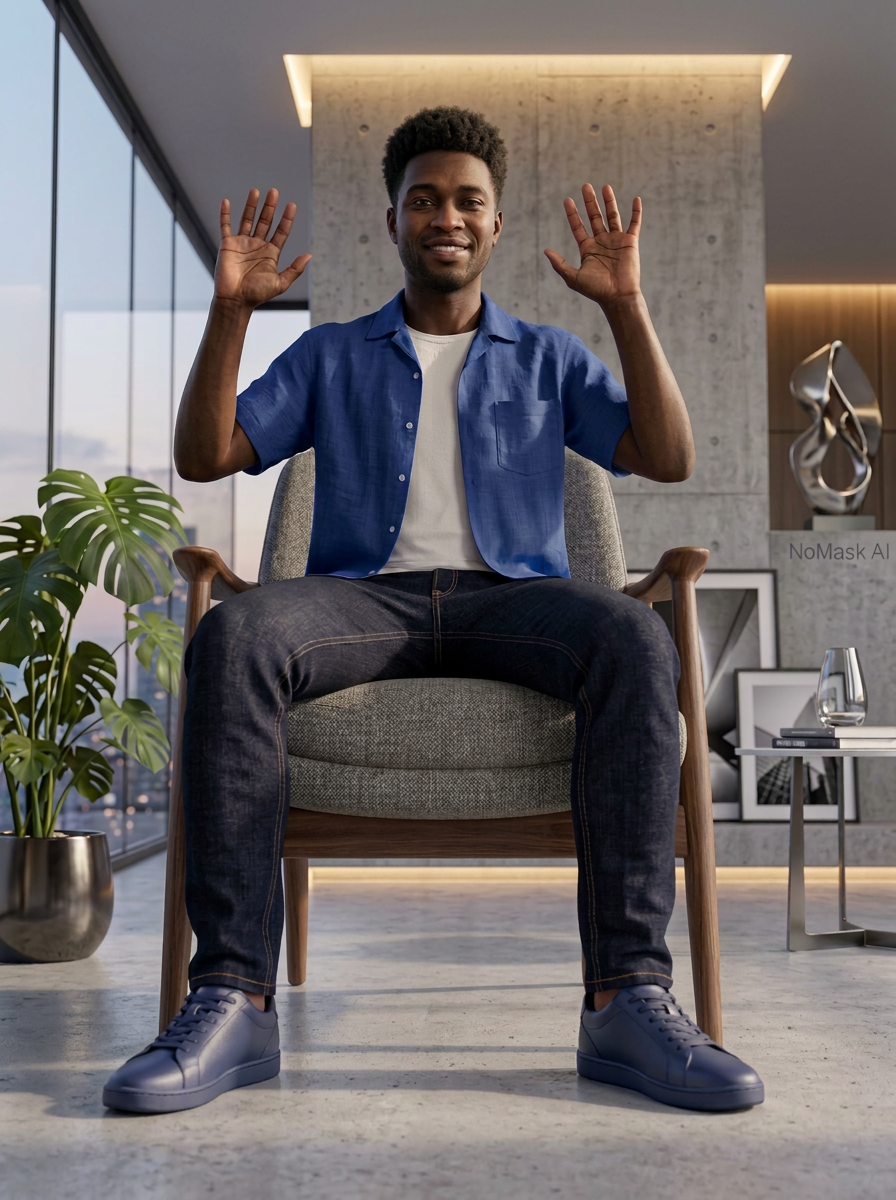
Transform static images into dynamic videos with precise motion control.
Upload a reference video to control exactly how your image moves. The motion is transferred to your source image.
Control your character's facing direction. Ensure the generated animation aligns with the reference video naturally.
Add audio from the reference video to your animation, or generate silent output for your own editing.
Add text prompts to guide the motion generation. Describe the desired movement, expression, or action to fine-tune the output beyond what the reference video provides.
Animations take time to process. Get notified by email when your generation is complete so you don't have to wait around. Come back and download when it's ready.
Upload a source image and a reference video. The AI transfers the motion from the video onto your image, creating a seamless animation that looks natural.
Control the orientation, sound, and motion guidance to get exactly the animation you envision.
Turn any image into a moving video with just a few clicks.
Choose the image you want to animate. Upload a JPEG or PNG of a character, person, or any subject you want to bring to life.
Upload a reference video that shows the motion you want. The AI will transfer these movements onto your source image.
Hit generate and let AI do the work. You'll be notified when your animation is ready to download and share.
Turn any image into a dynamic video with AI-powered motion control.
Try Motion Control — FreeNo credit card required
Stay Connected!
Follow us on social media for the latest AI tools, updates, and tips!
Instagram
@nomask.ai
X (Twitter)
@nomaskai